



Description
POS Lock Price & Discount in Odoo
POS Lock Price & Discount Module for Odoo
Secure your POS system with the POS Lock Price & Discount module by Prefortune Technologies LLP. This tool helps prevent unauthorized changes to prices and discounts during sales.
Why Choose This Module?
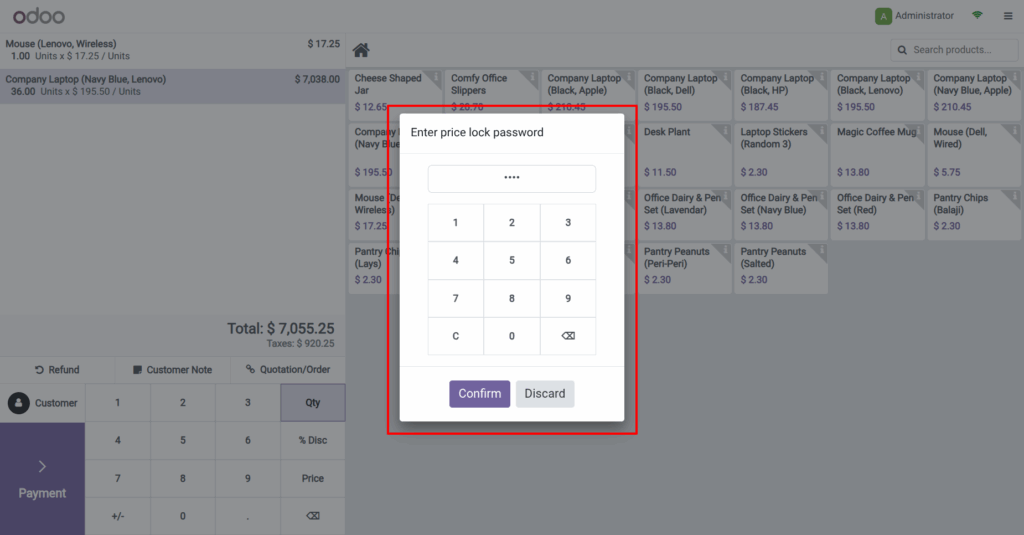
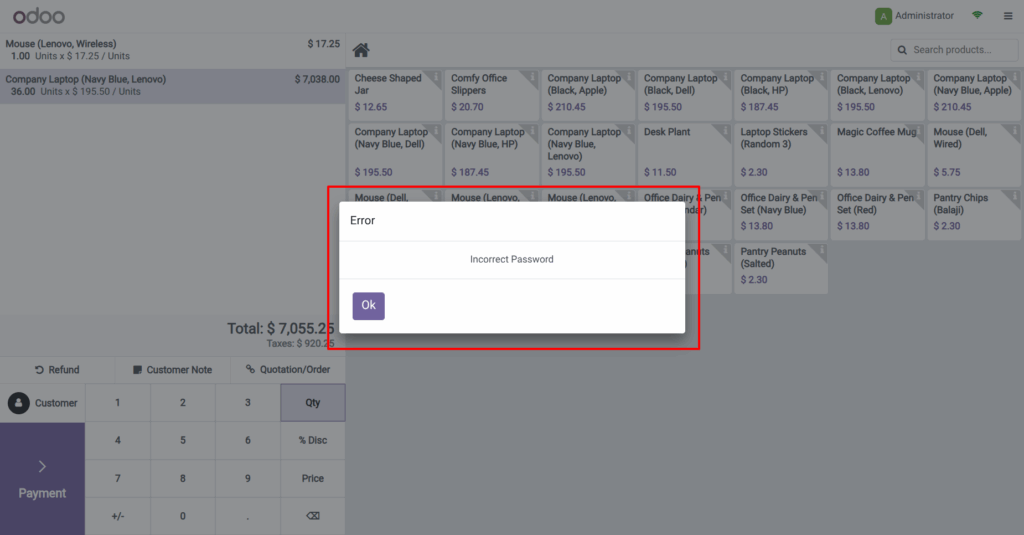
In many retail stores, multiple employees use the POS. However, not all of them should have the power to adjust prices or apply discounts. That’s why this module is essential. It ensures only authorized users can make such changes—by requiring password authentication.
What Makes It Useful?
Firstly, the module offers strong access control. You can choose to lock the price field, the discount field, or both. As a result, only selected staff members can make pricing changes.
Secondly, each POS shop can have its own password. This feature provides better control across multiple store locations. Moreover, it helps managers track activities more efficiently.
Watch Quick Video
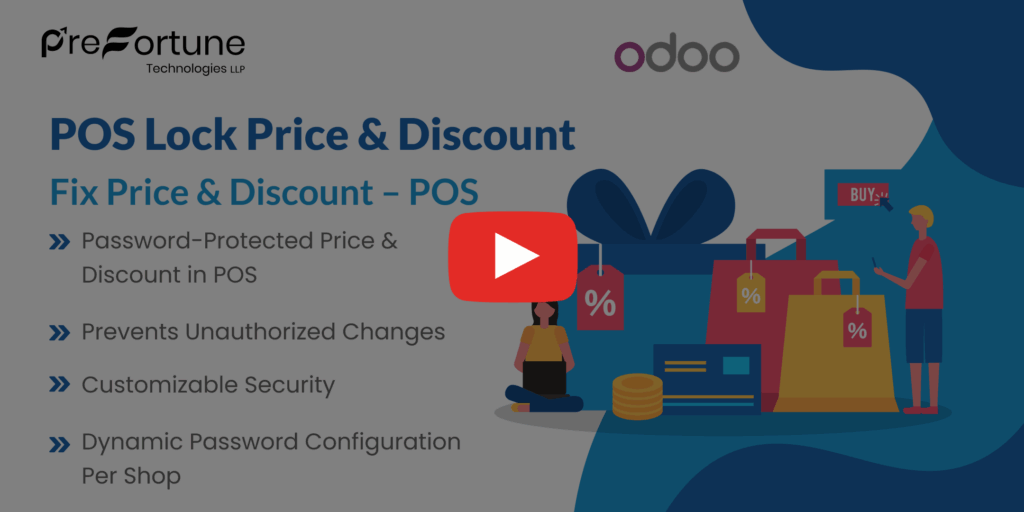
Key Features
-
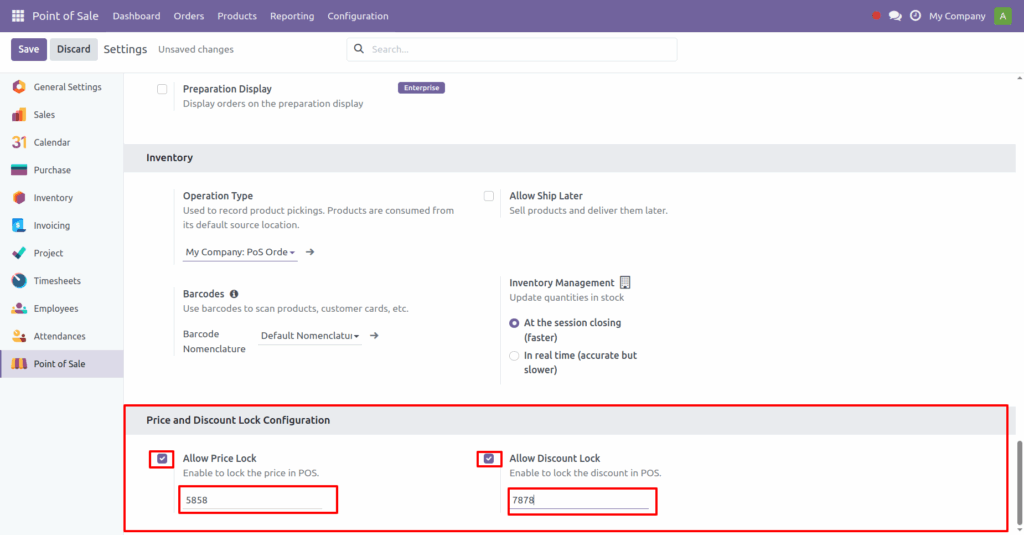
Password Protection: Block price or discount edits unless the correct password is entered.
-
Field Flexibility: Lock either prices, discounts, or both.
-
Shop-Specific Access: Set different passwords for different POS shops.
-
Reduced Revenue Loss: Prevent unauthorized discounts that can eat into profits.
-
Stronger Pricing Control: Keep your pricing structure consistent across all outlets.
Business Benefits
This module offers more than just access control. It helps maintain pricing integrity, avoids revenue leakage, and builds trust with management. Also, it simplifies staff accountability.
Whether you run one store or many, you can customize permissions to fit your exact needs. In addition, the setup is simple and works seamlessly with existing Odoo POS systems.
Who Should Use This?
-
Retail chains with multiple cashiers
-
Businesses that want tighter pricing control
-
Store managers who need better visibility and restriction tools
Final Thoughts
To sum up, the POS Lock Price & Discount module is an excellent choice for securing your sales process. It’s easy to configure, flexible, and highly effective. If you’re serious about preventing revenue loss and maintaining control, this module is a must-have.
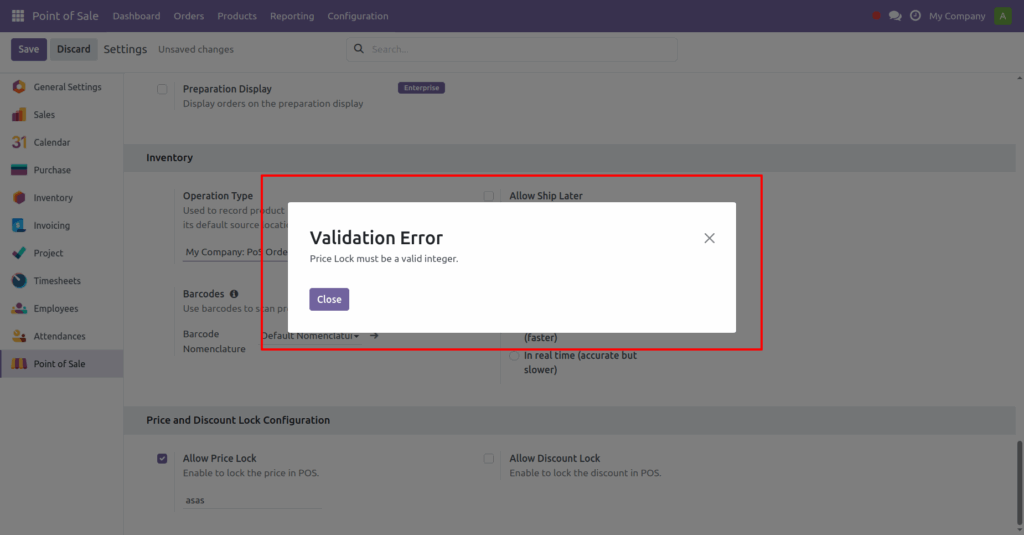
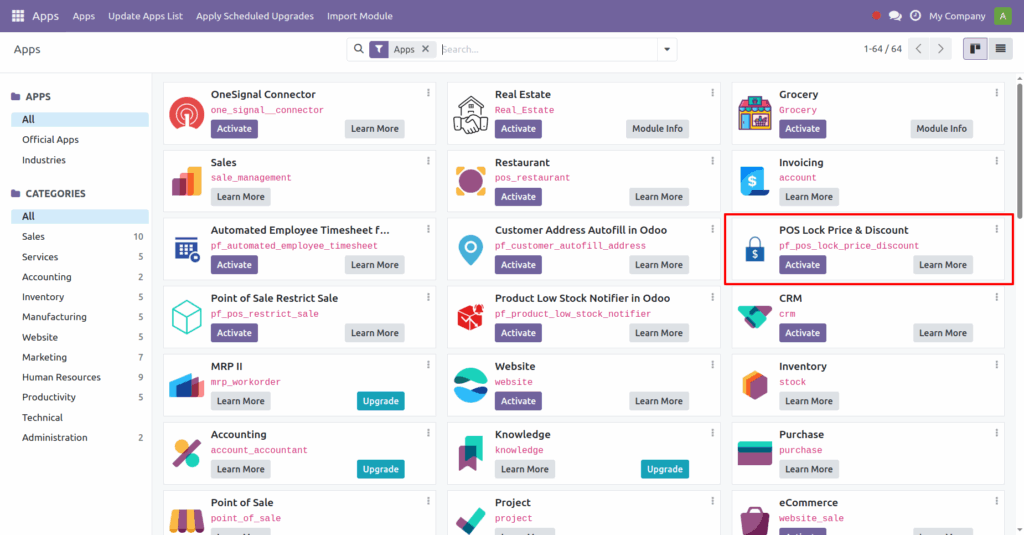 2. After installation in Point of Sale > Configuration > Settings select the shop as per need.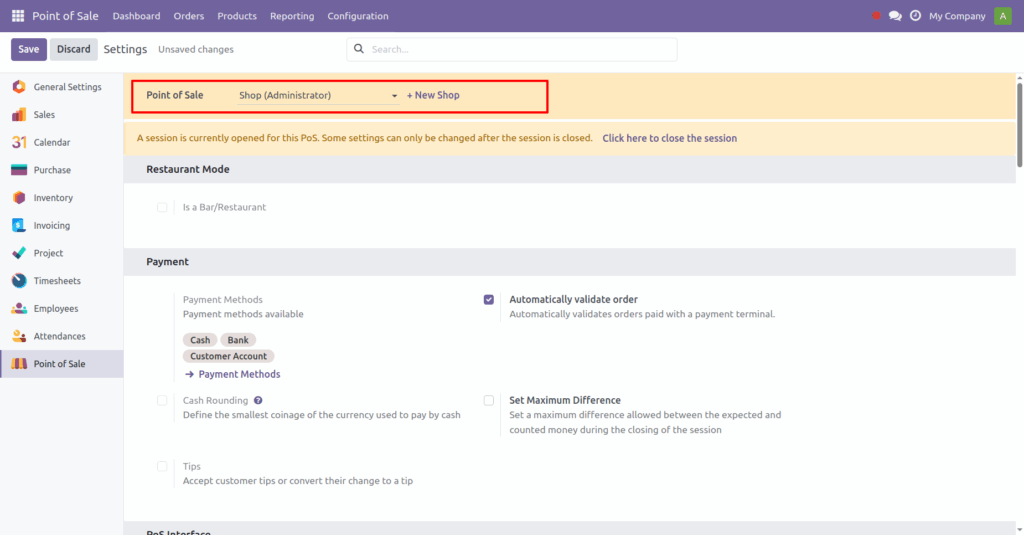









Reviews
There are no reviews yet.